
Home › Field training
For field training
What to give a new officer in week one
A recruit learns the law at the academy and the job on the road. What nobody hands them is the local knowledge — and there is no reason it should take three years to pick up.
The knowledge that never gets written down
Which hospital door is unlocked at two in the morning. The code for the back gate at the yard. Which tow company actually answers. Which courtroom is which, and where you park.
None of it is in a policy manual. It lives in the heads of the officers who have been there a while, and on a folded card in somebody's vest. It gets passed on in pieces, over months, usually when someone is already standing at the wrong door.
And when an officer leaves, it leaves with them.
Hand the whole lot over in one message
If you keep that information in BlueShifts, you can send it. Not read it out over the radio, not write it on a card — send it, by text message, at the touch of a button.
You choose how much goes: one entry, a whole category, or everything you have.
- Court addresses and contact information
- Jail addresses
- Hospital addresses, door codes and contacts
- Gate codes and restricted access
- Tow companies and vehicle maintenance
- Other useful contacts and food locations
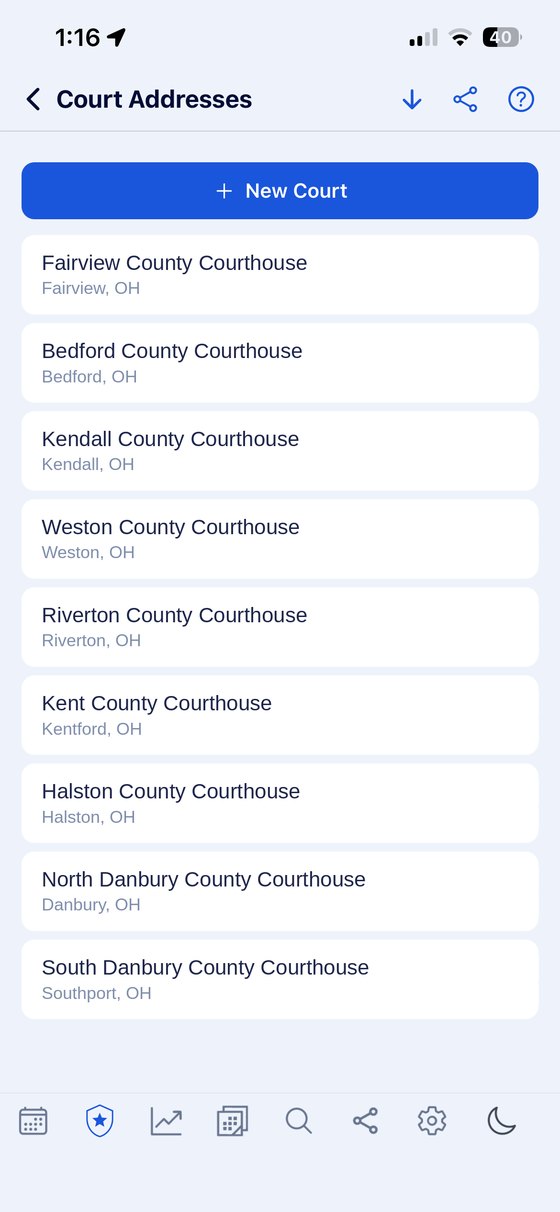
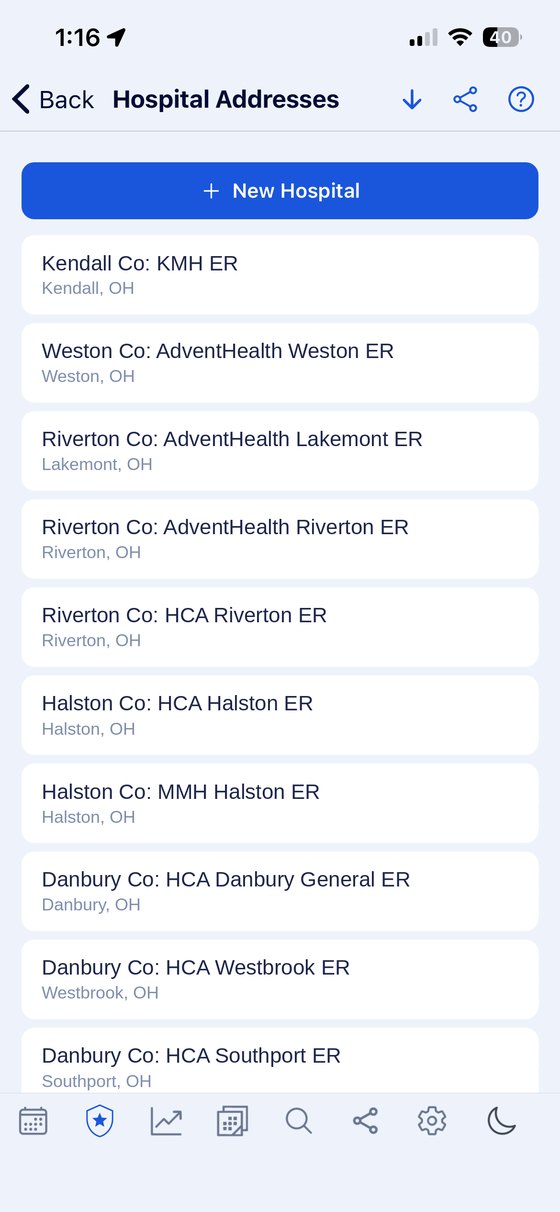
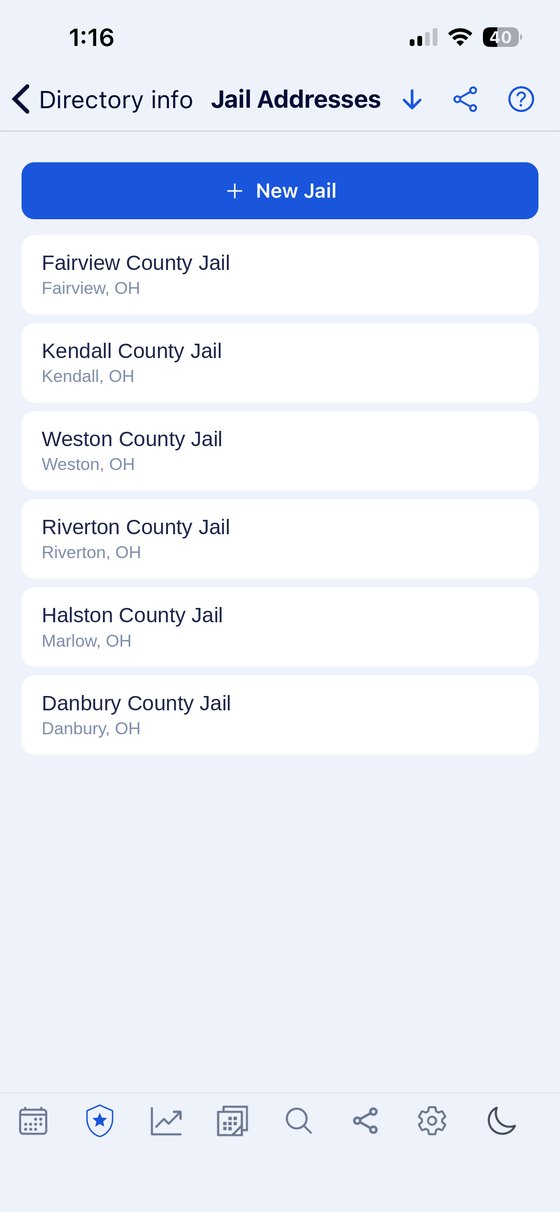
Swipe to see them all. Real screens from the app. Tap any one to see it full size.
A new officer arriving at your detachment can have years of accumulated local knowledge before the end of their first shift. The same goes for anyone transferring in from another division who knows the job but not the ground.
See what the directory holds →

BlueShifts. Plan Your Year. Own Your Time.
The shift calendar built for your rotation, off-duty work, and life on and off the clock.
Save your shift schedule once and BlueShifts fills the rest of the year in.
Send them the rotation, not a photocopy of it
A recruit handed a printed roster has to work out, every time, whether a date three weeks out is a work day. That is a question they will ask you instead.
Send your current rotation template from the app and their calendar fills itself in — as far forward as they want to look. They stop asking, and they stop guessing.
If they are on a different squad to you, they set their own start day and the same pattern lands on their own dates.
The two things new officers miss
Court and training. Both are set weeks ahead, both land in the middle of a rotation that is already moving, and both are the kind of thing a new officer does not yet have a system for.
Both are categories in the app from the day it is installed, and both can carry alerts — anything from five minutes to a week before the day. A recruit who sets those up in week one does not miss a court date in month four.
What it takes them to set up
Very little, which matters when you are asking someone to adopt something in their first week.
- Save the rotation once. The calendar fills in from there, forward and back.
- It works with no signal, which is the point in a basement cell block or a rural stretch.
- Nothing to configure before it is useful.
What you are not handing over
Worth being clear about, because officers ask.
Sharing is deliberate every time. Nothing is stored anywhere else and nothing is transmitted unless the officer chooses to send it. If two officers link their calendars to see each other's shifts, financial information is never part of it — pay, rates and earnings stay on the phone whatever else is shared.
So you can hand a recruit the directory and your rotation without handing them anything about what you earn, and without any of it passing through a company in the middle.
Week one, in order
- Have them install it and set their rotation — or send yours.
- Send the directory. Start with courts, jails and hospitals; add gate codes as they come up.
- Have them put their court dates in as they are served, with an alert.
- Show them the training category before their first block of in-service.
- Leave the rest. They will find it.
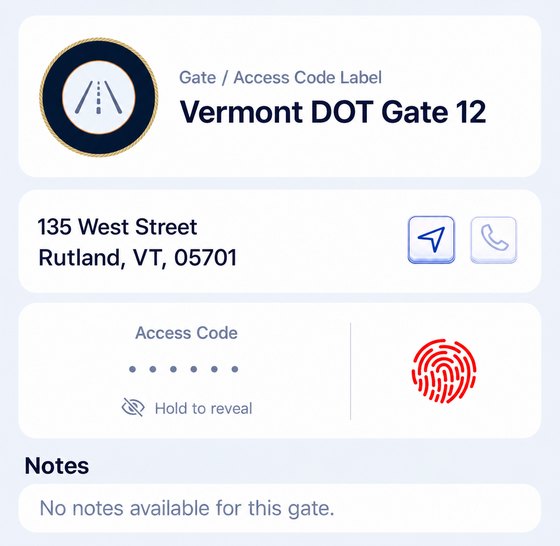
One thing to check first. Some agencies have rules about what information leaves a department device or gets shared between officers. Codes and access information are exactly the sort of thing those rules exist for. Worth clearing with your supervisor before you send a directory to anyone.
Also worth reading
- The stuff nobody writes down — what the directory holds and how it is shared
- Rotation patterns — every pattern drawn day by day
- Department scheduling — where this sits alongside PlanIt and TeleStaff
- Which badge should you apply for? — for the ones still deciding
Give them the years you already put in
The local knowledge, the rotation and the court dates — handed over in a message instead of learned the slow way.
Scan to install


