
Home › Who it's for › Federal

For federal law enforcement
Federal work splits two ways — investigators whose days run long and unscheduled, and uniformed officers on a bid rotation with premiums layered on top. BlueShifts handles both, differently.
Uniformed officers: the bid rotation
Most uniformed federal components run a rotation you bid for and then hold for a set period, often moving through days, evenings and midnights. The pattern can run several weeks before it repeats, which makes it a poor fit for a paper calendar and a good fit for a template.
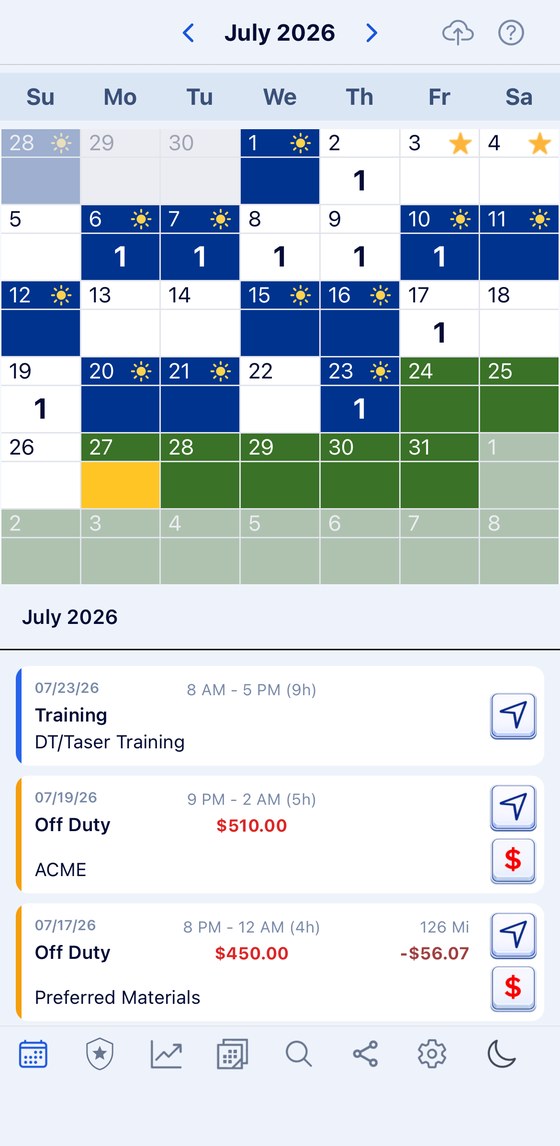
Save the cycle once, tell the app the day yours starts, and it fills the calendar forward as far as you want and backward across what you have already worked. When you bid a new one, save that too and apply it from the change-over date.
Nights, weekends and holidays
Uniformed federal pay carries premiums for the hours nobody else wants — night hours, Sundays, holidays — on top of any overtime. The rules for those live in your agency's policy and your collective agreement, and they are not something an app should be interpreting for you.
What an app can do is hold an accurate record of when you actually worked, so what shows up on your statement can be checked against what happened. Give your night rotation its own category and color and the pattern is visible at a glance across the month.
Holdovers and overtime
A post that cannot go unmanned means holdovers, and holdovers are the hours most easily lost. Log the shift with the hours you actually worked rather than the hours you were scheduled, and the month adds up correctly without any effort at the end of it.

BlueShifts. Plan Your Year. Own Your Time.
The shift calendar built for your rotation, off-duty work, and life on and off the clock.
Set it up once for the way your own week runs.
Investigators: the day does not end when it is supposed to
Criminal investigative work runs long and it runs unscheduled. Surveillance goes past midnight, an arrest team forms on a day you were off, an interview in another district turns into two days. The basic workweek is a starting point rather than a description.
Federal investigators are generally paid on the understanding that this happens — that unscheduled duty comes with the job. The only way to know whether that understanding matches your year is to keep your own record of the hours, day by day, as they happen.
Categories are yours to build, so an interview day, a surveillance night, a warrant and a court appearance can each be their own color with only the fields they need. At any point you can pull totals for a period — hours, days, miles — and export the whole thing as a PDF.
Travel and TDY
Details in another city, schools and in-service at a training center, temporary duty that runs for weeks. Those days are easy to lose track of and awkward to reconstruct later. Give TDY its own category with the address and mileage switched on and the picture stays intact.
Court
Federal court is often in a different district than the one you spend your days in, and it lands wherever it lands. Court sits on the same calendar as everything else, in its own category, with the courthouse address attached.
About outside employment
Most federal agencies require written approval for outside work, and many restrict or prohibit the kind of off-duty details a municipal officer works. BlueShifts can track outside work where your agency permits it, but nothing on this page should be read as saying that it does. Your agency's ethics office and your collective agreement govern that, not an app.
Not sure this is the badge for you? What law enforcement job you are qualified for A hundred questions about the job as it actually is, and which of the twenty-one fields your answers fit.
And what it pays: What law enforcement starts on, by agency
Designed by an officer, for officers
Twenty years on the job went into deciding what this app tracks. Everything stays on your phone unless you choose to share it.
Scan to install

