
Home › Rotating shifts › In Apple Calendar
Putting a rotating shift into Apple Calendar
Apple Calendar handles this slightly better than most people expect, and there is one thing it does that nothing else on this list can. Here is the method, and an honest account of where it stops.
Why the obvious way fails
Create an event, set it to repeat, done — that works for a fixed week and nothing else. Apple offers every day, every week, every two weeks, every month and every year. A 2-2-3 rotation is none of them, and there has never been a setting for it.
The method that works
Apple has a custom repeat that most people never open: Repeat → Custom → Daily → Every N days. That is the whole trick. Your rotation repeats on a fixed cycle — fourteen days for Panama and Pitman, twenty-eight for DuPont, nine for Kelly — and every working day inside the cycle recurs exactly that often.
So you create one event for each working day of one cycle, and set each to repeat every N days. Seven events for a fourteen-day Panama, and they run indefinitely from there.
The method that works
- Work out the cycle lengthFourteen days for Panama and Pitman, twenty-eight for DuPont, nine for Kelly
- Start on a day you are certain ofThe first working day of a cycle you actually worked
- Create one event per working dayWith that shift's start and end times
- Repeat → Custom → Every N daysWhere N is the cycle length, not the number of days on
- Put them on their own calendarIn iCloud, so the set can be hidden or shared as a whole
The one thing it does better
An iCloud calendar can be shared with your household. Make the rotation its own calendar, share it with a partner, and they see your shifts on their own phone without asking. That is a real advantage, and it is the reason some officers stay with Apple Calendar despite the setup.

BlueShifts. Plan Your Year. Own Your Time.
The shift calendar built for your rotation, off-duty work, and life on and off the clock.
Save this pattern once and the year fills itself in — forward as far as you want, and back over the months you have already worked.
What it costs
The setup. Seven to fourteen events, each with its own times and its own custom repeat rule, entered by hand on a phone keyboard.
Every change is a rebuild. A bid, a transfer or a shifted start day means editing or deleting every event in the set. There is no way to move the whole rotation by a day.
It only runs forward. A recurring event begins when you create it. The months you have already worked stay missing unless you add them one at a time.
Tour changes. If your crew flips between days and nights, the whole set is rebuilt at each changeover, or duplicated and switched on and off.
It carries no money. Which detail you worked, for whom, at what rate, and whether they have paid — none of that survives in a calendar event in a form you can add up at the end of the year.
Subscribed calendars, and why they are not the answer either
Apple can subscribe to a calendar published at a web address, which sounds like the solution. It is read-only, it needs something to publish the feed in the first place, and it still holds only the schedule. Useful for a roster your agency publishes; no help for a rotation you keep yourself.
When it is the right answer
A fixed week, a rotation you never expect to change, no off-duty work to track, and a household you want to share it with — Apple Calendar is genuinely enough.
Where BlueShifts differs
Save the pattern once, tell it the day your cycle starts, and it draws the year forward and backward. Change the start day and the whole rotation moves with it. Two people running the app can link by QR code and see each other's shifts — never the pay. The two calendars connect as well: your Apple Calendar events show inside BlueShifts, kept in step automatically, so you are not checking two apps to see whether a shift lands on something. Shifts travel the other way through Google Calendar rather than Apple — your shifts can go into a Google Calendar, yours or someone else's.
Sharing and syncing are not the same thing
SharingThey see your shifts and events, and you see theirs

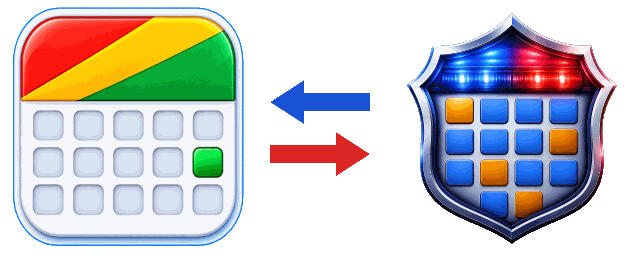
SyncingBrings your own events in
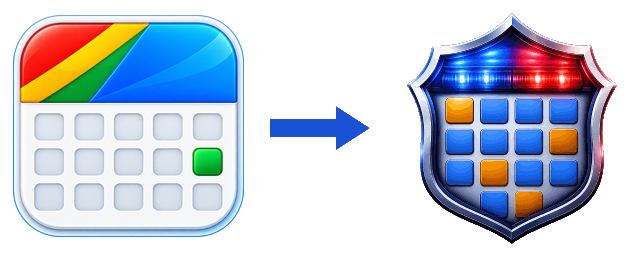
Sharing is for someone else. Syncing is for you.
Where to go next
The same job in Google Calendar · Pitman, on a fourteen-day cycle · Every pattern, with its cycle length
Save the pattern instead of building it
Save the pattern once and the calendar fills itself in — as far ahead as you want to look, and back over the months you have already worked.
Scan to install

