
Home › Rotating shifts › In Google Calendar
Putting a rotating shift into Google Calendar
It can be done, and plenty of people do it. Here is the method that actually works, followed by an honest account of what it costs you and where it gives up.
Why the obvious way fails
The instinct is to create one event, set it to repeat, and be finished. That works for a fixed week — Monday to Friday, same hours — and fails for everything else, because Google's repeat options are daily, weekly, monthly and yearly. A 2-2-3 rotation is none of those. There is no “two on, two off, three on” setting and there never has been.
The method that works
The trick is to stop thinking about the pattern and think about the cycle. Whatever your rotation is, it repeats on a fixed number of days — fourteen for Panama and Pitman, twenty-eight for DuPont, nine for Kelly. Every shift inside that cycle repeats every N days, exactly.
So you create one event per working day of the cycle, and set each to repeat every N days. Seven events for a fourteen-day Panama. Fourteen for a twenty-eight day DuPont. Once they are in, they run indefinitely.
The method that works
- Work out the cycle lengthFourteen days for Panama and Pitman, twenty-eight for DuPont, nine for Kelly
- Pick the first day of a cycleA day you know you were on, at the start of the pattern
- Create one event per working dayWith the right start and end times for that shift
- Set each to custom repeatRepeat every N days, where N is the cycle length
- Put them on their own calendarSo you can hide the lot when you want to see your own life

BlueShifts. Plan Your Year. Own Your Time.
The shift calendar built for your rotation, off-duty work, and life on and off the clock.
Save this pattern once and the year fills itself in — forward as far as you want, and back over the months you have already worked.
What it costs
The setup. Between seven and fourteen events, each created by hand, each with its own times and its own custom repeat rule. Half an hour if you are quick and know exactly what you are doing.
Every change is a rebuild. If your cycle shifts by a day — a bid, a transfer, a changed start date — every one of those events has to be edited or deleted and recreated. There is no “move the whole rotation” button.
It only goes forward. Recurring events run from the day you create them. Reconstructing the months you have already worked means adding them one at a time, and almost nobody does.
Days and nights. If your agency rotates crews between tours, the whole set has to be rebuilt at each flip, or duplicated and switched on and off.
It holds the schedule and nothing else. Which detail you worked, for whom, at what rate, and whether they have paid you — none of that fits in a calendar event in any form you can add up later.
When it is the right answer
If you work a fixed week, or a simple rotation you never expect to change, and you have no off-duty work to track, Google Calendar is genuinely fine. Nobody needs an app for five on, two off.
Where BlueShifts differs
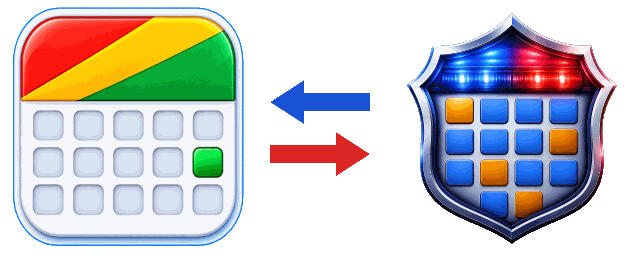
Save the pattern once, tell it the day your cycle starts, and it draws the year — forward as far as you want to look and backward over months you have already worked. Change the start day and the whole rotation moves with it. And the two connect, both ways: your shifts go into a Google Calendar — your own, or your partner's, or a scheduler's — and their events come back to you, with the other person needing nothing but the Google Calendar they already use. Your own Google and Apple events show inside BlueShifts too, kept in step automatically.
Sharing and syncing are not the same thing
SharingThey see your shifts and events, and you see theirs

SyncingBrings your own events in
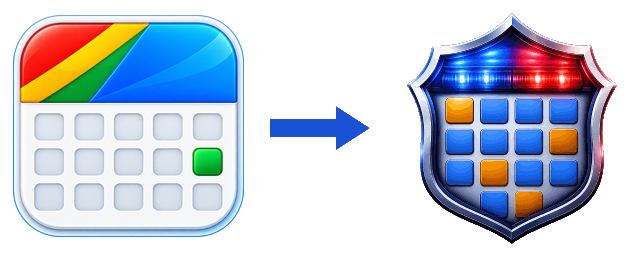
Sharing is for someone else. Syncing is for you.
Where to go next
The same job in Apple Calendar · Panama, on a fourteen-day cycle · DuPont, twenty-eight days · Every pattern, with its cycle length
Save the pattern instead of building it
Save the pattern once and the calendar fills itself in — as far ahead as you want to look, and back over the months you have already worked.
Scan to install

